Sheet 1Designin Ultimate

Design on reality.

Model a part, draw it, test it and make it — in the same scene as the scan, the site or the building it has to fit.

357CAD commands
1012D drafting
70Scan to BIM
A — D · first angle

Sheet 2In the applicationwindow captures · 30 Oct 2026

The same bracket,under load.

Held at its plate, pushed with 1,000 N: the stress, the deflection and the safety factor, on the part as it was modelled — no export, no mesher, no second program.
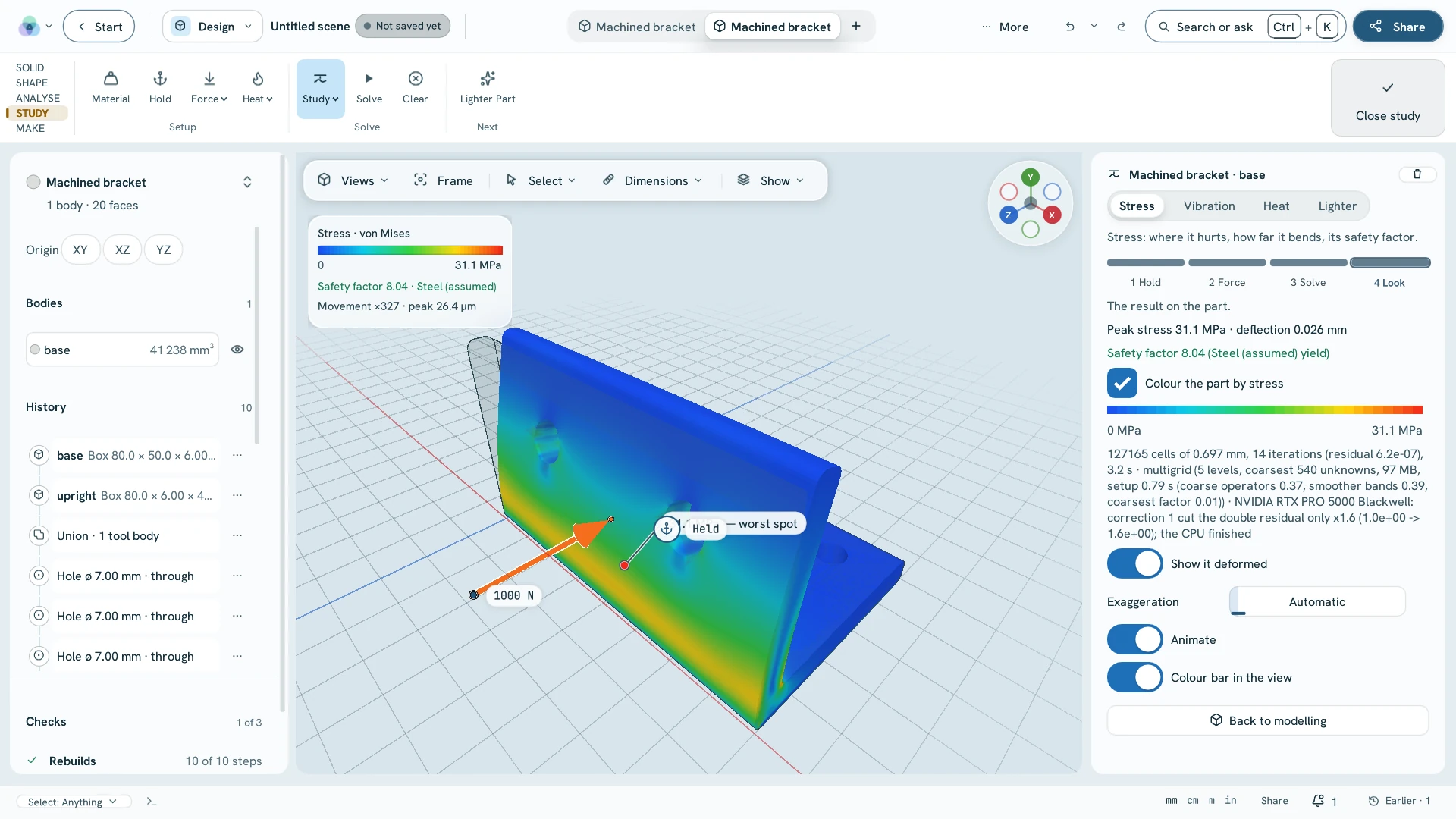
cad.fea · Design workspace The Design workspace with the bracket coloured by von Mises stress, the load arrow at 1000 N and the result panel
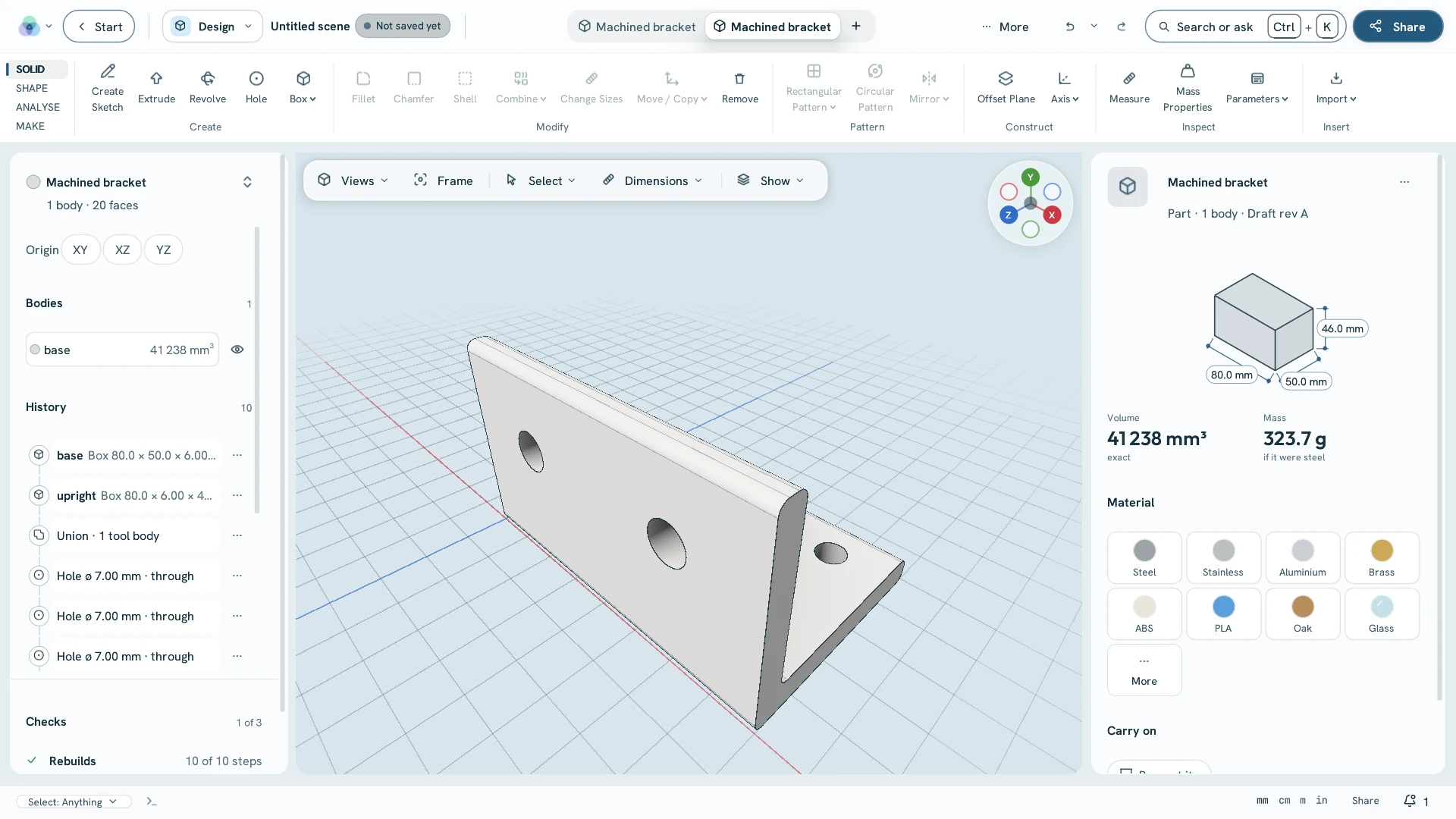
Feature historyThe bracket's history of steps: two boxes, a union, six holes and fillets
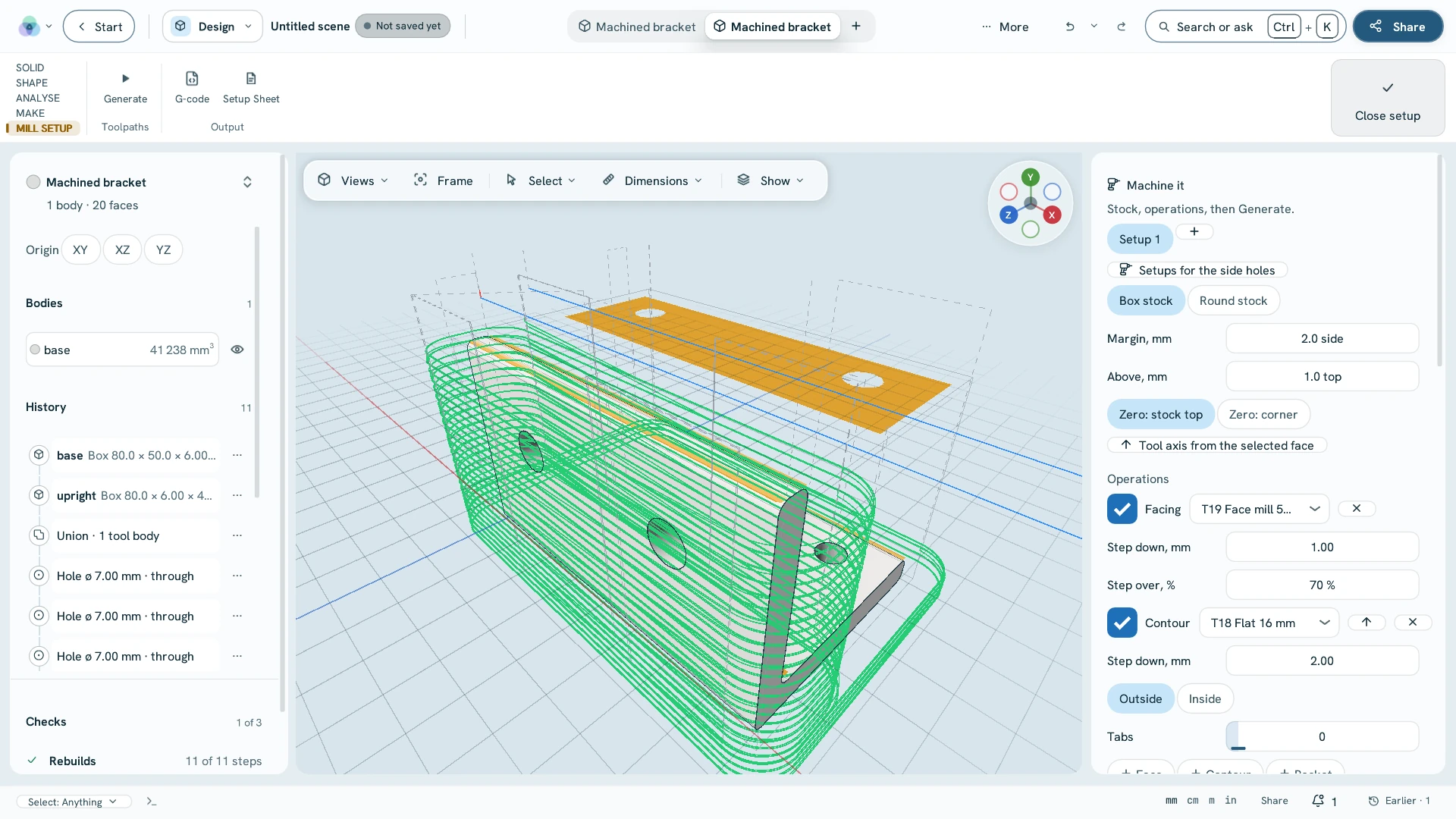
cad.cam · toolpathsFacing and contour toolpaths on the bracket
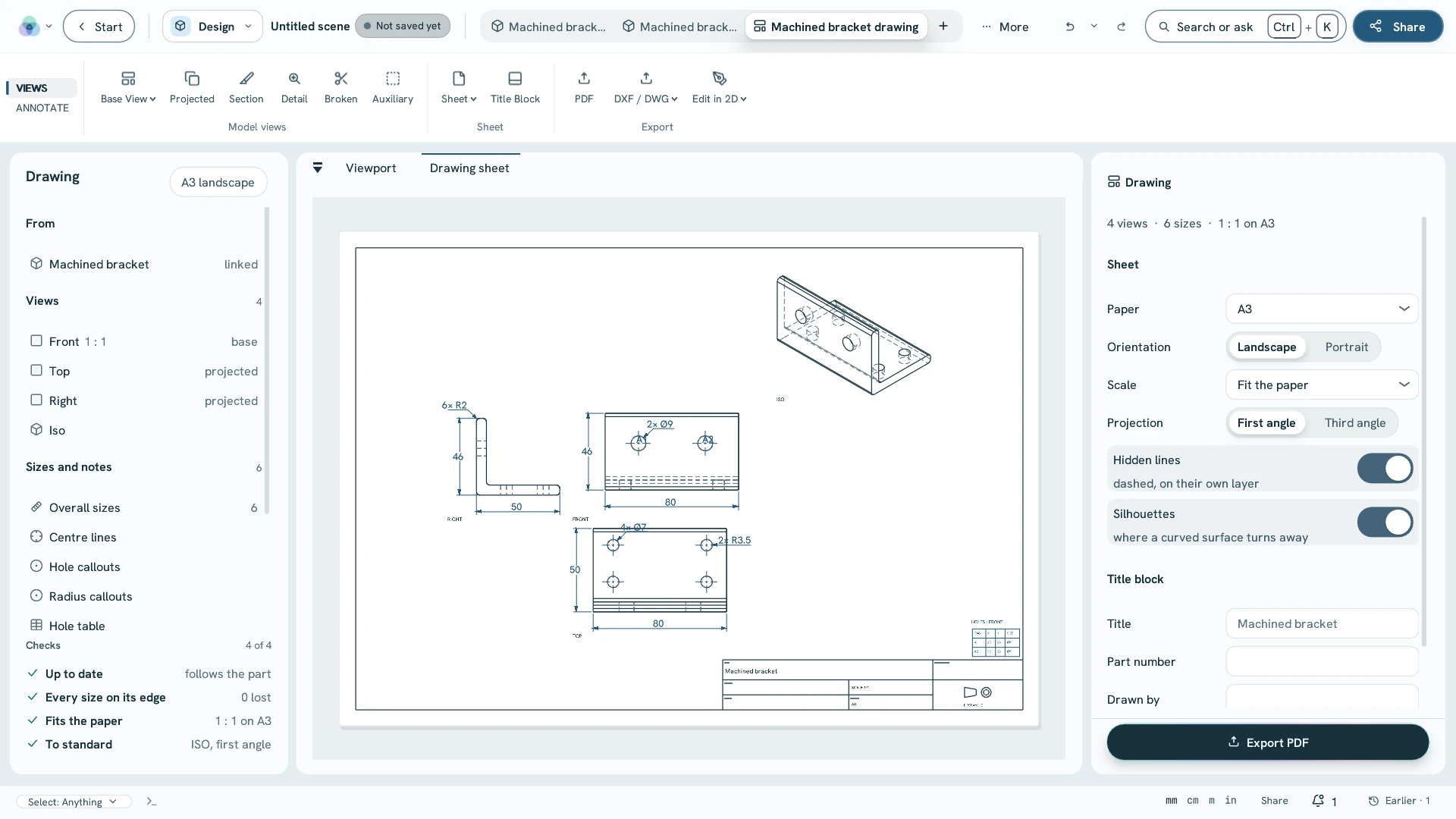
cad.drawing.autoThe bracket's drawing open in the application

Sheet 3Modelexact B-rep · feature history

Exact solids,with their history.

Steps you can go back and change, named parameters, variants of one part and assemblies whose joints really move. STEP out with its true surfaces, in millimetres.

Motion · sketch to sheet · the bracket above
cad.extrudeExtrudeA closed sketch, a flat face or a drawing's closed outlines pulled into a solid — drag it or type the distance.
cad.filletFilletA rolling ball round any edge: exact on lines, rims and holes, the whole tangent chain at once.
cad.holeHolePlain, counterbored or countersunk, blind or through — click a face, type the diameter.
cad.parametersParametersNamed values the steps use — L, wall, d = 2 * wall + 5 mm — typed into any number field.
cad.assembly.jointJointsRigid, revolute, slider, cylindrical, planar, ball, pin-slot and screw — then a motion study and an interference check.
cad.tolerance_stackTolerance stack-upA chain of dimensions with their limits: the gap by worst case and by RSS, and which tolerance drives it.
cad.export_stepSTEP outThe exact solid with every edit applied, its true surfaces, colours and layers — read back before it is handed over.

Sheet 4Test it · make it

Then test it,and make it.

The same solid goes to the simulation, the mill, the printer and the press brake — no export, no second program, no second set of units.

Plate 01Stress

Simulate stress

cad.fea

Hold some faces, push on others: the peak stress, the deflection and the safety factor. Heat works the same way, with cad.thermal.

Plate 02Milling

Machine it

cad.cam

Toolpaths for a CNC mill — facing, profiles, pockets, drilling and chamfers — saved as G-code with a setup sheet.

Plate 03FDM

Print it

cad.print

Sliced for an FDM printer — walls, infill and supports, with the print time — and saved as G-code.

Plate 04Sheet metal

Fold it flat

cad.sheet.unfold

Flanges, hems, jogs and louvers with a K-factor or your bend table; the flat pattern out as DXF, nested on stock.

Plate 05Infill

Lattice it

cad.lattice

Keep a solid skin and fill the inside with a gyroid, Schwarz P or diamond sheet, ready to print.

Plate 06Freeform

Shape it freely

cad.subd.box

A smooth body from a cage: drag, crease and mirror it, then keep it as an ordinary solid.

Sheet 5Draw itDXF · DWG · PDF

Drawings and DWG,without a second program.

The part's drawing makes itself — views, dimensions, centre lines and hole callouts — and opens in 2D drafting, where AutoCAD's command aliases work. DXF and DWG in and out; plots to PDF.
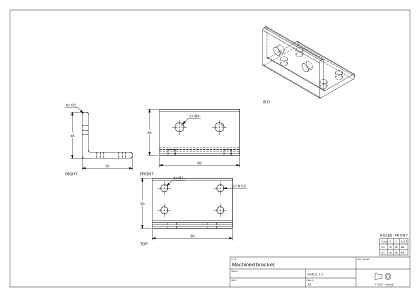
cad.drawing.autoMake the drawingFront, top, right and isometric views with overall dimensions and hole callouts.
drafting.openOpen DXF or DWGLayers, colours, text, hatches and dimensions, edited where they are.
drafting.plotPlot to PDFThe layout — or model space fitted to A3 — at true scale.
drafting.to_cadModel this drawingA 2D plan becomes the sketch of a part, and the solid follows.
The application's drawing of the bracket · unretouchedThe application's A3 drawing of the bracket: right, front, top and isometric views with dimensions, a hole table and a title block
The drawing as the application exported it · PDF, 7 KB →
Command:

Sheet 6On the scanIFC 4 · IFC2X3

A scan becomesa building model.

Walls, slabs, storeys, openings and rooms are found in the scan and proposed one at a time. Accept, reject, or drag a wall on the plan slice and an opening in the elevation — then the building leaves as IFC.

Drawn for this page from a synthetic storey; the areas are computed from the drawn walls.
s2b.detectDetect the buildingWalls, floors, columns, openings and rooms found in the scan, each a proposal to accept or reject.
s2b.plan.openPlan sliceA top view of one storey cut through the scan: drag wall ends, faces and whole walls.
s2b.elevation.fitFit the openingRe-measures a door or window from the hole the scan shows around it.
cad.sketch.section_referenceSection to sketchCut the scan you model on by the sketch's plane; the cut lands as construction lines and arcs.
bim.export_ifcIFC outThe detected building as IFC 4 or IFC2X3, with walls, slabs and openings.

Sheet 7Editionper seat · excl. VAT · draft

Design comeswith Ultimate.

€2,490 a year, or €290 a month — every workspace included, Capture, Geo and Present with it. Draft prices.